
Ask every branch of the family first: a cousin may have the album, or the naturalization certificate with your ancestor's photo on it. Then look in the paperwork. Passport applications carry a photo from December 1914, immigrant visas from July 1924, and naturalization papers from July 1929.
Ellis Island won't have one. It didn't photograph the people it processed, so there's no arrival photo to find.
Ask every branch of the family first
Photos went where the boxes went: to whoever cleared the house, the oldest child, or the one who lived nearest. Studio portraits were printed in sets for the family, so ask your parents' cousins and their children too, even the branch you've never met. One of them may hold a copy of the print you lost.
Ask for papers as well as pictures. A certificate of naturalization from July 1929 on has the person's photo on it, and so does the immigrant's own copy of the declaration of intention, signed and pressed with the court's seal. An old passport in a drawer has the photo the State Department sealed into it.
Then look where cousins share online (prices here are as of October 2026). FamilySearch is free and keeps one shared family tree, where relatives attach photos to a person's page under Memories. Ancestry ($24.99 a month for U.S. Discovery, after a 14-day free trial) and MyHeritage (free for a tree of up to 250 people, about $200 the first year for its Complete plan) both show photos other members have added to their trees, and their DNA matches lead to cousins you didn't know to ask.
If a print turns up with no name on the back, dating it from the clothes and the mount tells you which generation to match it to.
Ellis Island never took an arrival photo
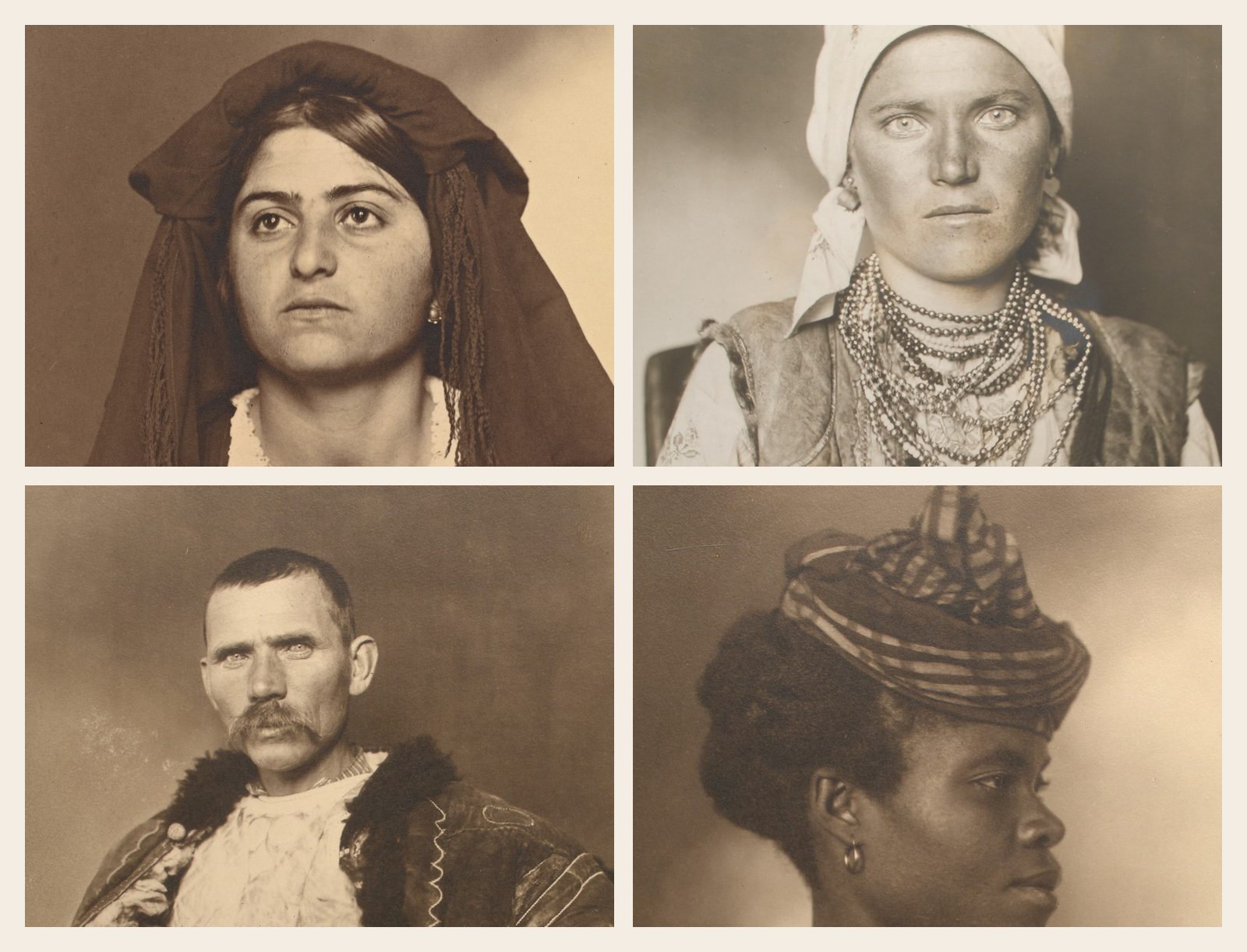
The famous Ellis Island portraits, like the four at the top of this page, were taken by Augustus Sherman, a clerk there, as his own record of the people passing through. The Park Service counts about 250, taken between 1905 and 1925, mostly of people held back for a short time for more checks. Lewis Hine photographed arrivals there too, from 1904.
Neither set was part of anyone's file, and most of the sitters were never named. A Sherman portrait from your great-grandmother's country shows what people from there wore that year. It almost certainly isn't her.
Her arrival record is a line on the ship's passenger list: name, age, home town, who she was joining. Passenger lists carry no photos, at Ellis Island or any other port.
Which records carry an immigrant's photo
The face turns up in the paperwork that came later, when the person traveled, settled or became a citizen. Each record starts carrying a photo on a known date, and copies from before it have none.
Which records carry the person's own photo
- Ship passenger listsNo photo
Ellis Island and every other port
- Passport applicationsFrom December 1914
National Archives to March 1925, State Department after
- Immigrant visasJuly 1924 to March 1944
USCIS visa files; later visas sit in the A-file
- Naturalization papersFrom July 1929
Declaration and certificate, but not the court's copy
- Alien files (A-files)From April 1944
USCIS, or the National Archives once born 100 years ago
Passport applications have a photo from December 21, 1914. A naturalized citizen going home to visit needed a passport, so immigrants turn up here. A wife and young children could travel on one passport, so the photo sometimes shows a mother with her children.
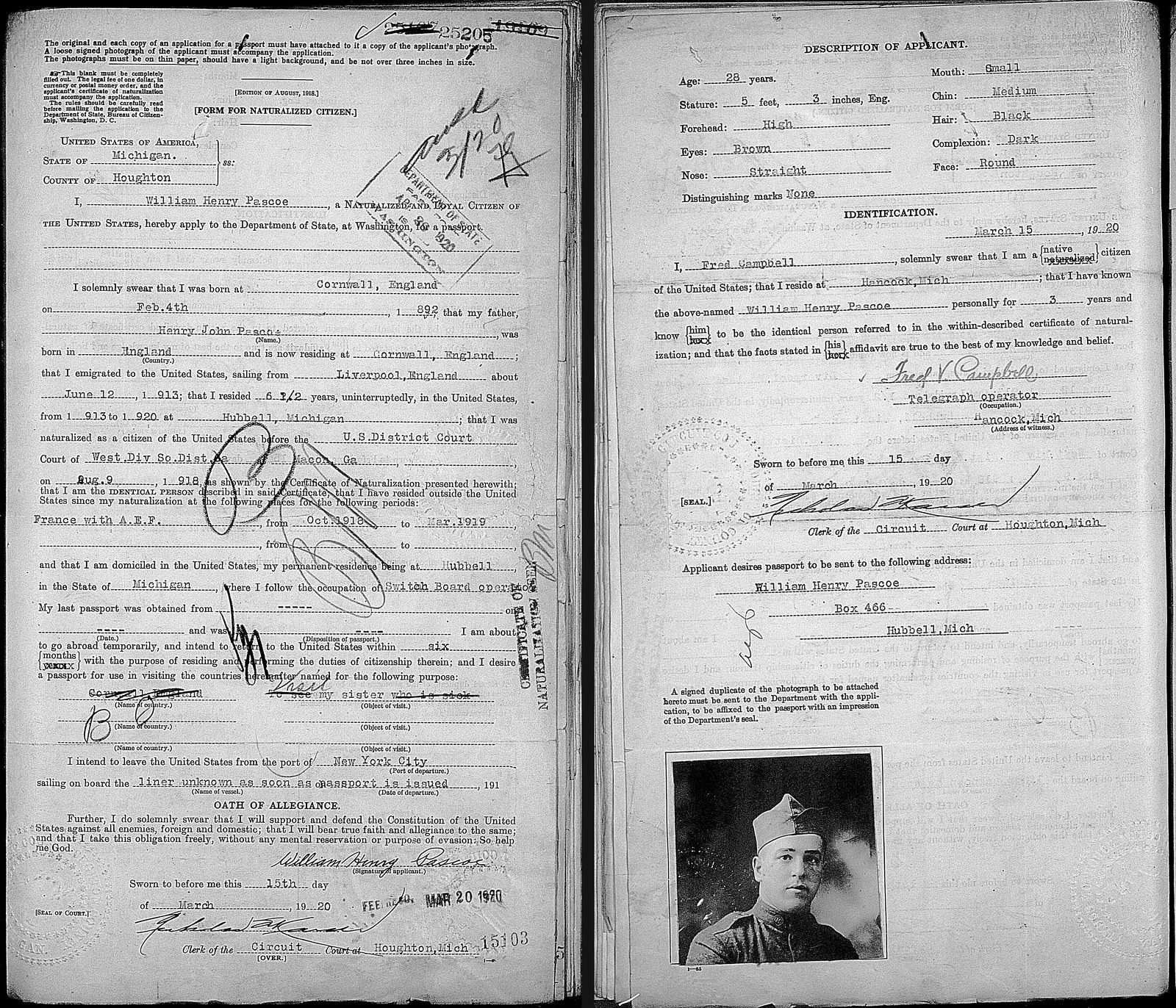
Immigrant visas have one from July 1924, when every new immigrant needed a visa from an American consulate before the voyage. USCIS keeps the visa files from then to March 1944, with the photo on the front of each visa packet. For anyone who came after mid-1924, this is the nearest thing to an arrival photo.
Naturalization papers have one from July 1, 1929, on the declaration of intention and the certificate, but not on every copy. The court's own copy of the declaration is printed “Do not attach photograph to this copy of declaration.” The copies with photos went to the immigrant and to the government in Washington, which is why the family drawer and USCIS are the places to look.
From April 1944, each immigrant's papers went into one alien file, the A-file, which may include photos. If your ancestor became a citizen before 1929 and never traveled abroad, none of these records will have a photo. Go back to the family and the newspapers.
How to request each one
- 01Passport applications, December 1914 to March 1925: free on FamilySearch with an account, or behind Ancestry's and Fold3's subscriptions. Search the United States, Passport Applications, 1795-1925 collection; the photo is usually on the second page, so check the next image too. For a passport issued after March 1925, ask the State Department; for someone who has died, that's a Freedom of Information Act request.
- 02Visa files, naturalization certificate files (C-files) and A-file papers up to May 1951: the USCIS Genealogy Program. First an index search, $30 online or $80 on paper, finds the file number; then a records request for the file costs another $30 online. In August 2026 the government proposed that USCIS stop answering requests for files that have moved to the National Archives, so read the USCIS page before you pay.
- 03A-files for people born at least 100 years ago: search the National Archives catalog for the name, then email the office the catalog entry names (usually Kansas City) with the file's identifier. A copy costs $27 for someone born before 1890 and $40 for 1890 or later.
- 04Court naturalization records: files from federal courts are at the National Archives, $10 a file through its online ordering. State and county court files are often at the state archives or a historical society. These are the court's copies, so expect the facts and a signature, and possibly no photo.
Other places a face turns up
Newspapers: an obituary, a wedding notice or a local story may have run a portrait. Chronicling America, from the Library of Congress, is free and runs up to 1963; Newspapers.com costs $19.90 a month or $74.90 for six months, papers after 1930 included. A newspaper or yearbook photo is printed in tiny dots, and getting a clean copy of a yearbook photo covers how to soften them.
Find a Grave: free, owned by Ancestry. Families and volunteers add photos to memorial pages, sometimes a portrait as well as the stone, and you can ask a volunteer to photograph a grave.
Military records: a service file may hold a photo, but don't count on one, since a 1973 fire destroyed most Army files for soldiers discharged between 1912 and 1960. To read the uniform itself, see how to identify a military uniform.
State archives: free to visit, with copy fees that vary by state. They hold naturalizations from state and county courts, and many keep photo collections that families and studios gave them.
County historical societies: small societies set their own fees, so ask what a visit or a search by mail costs. They keep what local families donated, such as albums, school and church pictures, and sometimes a town photographer's prints or glass negatives.
Repair the copy, leave the record
Once you have a scan or a download, crop the photo out and restore that copy, and leave the record as it is. The seal, the stamps and the signature are what make it the official photo, and whatever sits under a seal would be the software's guess. If a seal or signature crosses the face, say so in the restore's optional note: “Keep the court's seal and the signature exactly as they are.”
Pascoe's photo came off the microfilm with dust specks, harsh contrast and one side of his face lost in a dark, mottled shadow. The restore cleared the specks and evened the contrast. Check the face against the record, as you would with any restore: that shadowed cheek came back as clean skin, so it's partly the software's guess.
If you choose Repair + colorize, put what the record says in the note. His application lists brown eyes, black hair and a dark complexion: colorized with no note, he came back with blue eyes, and with those words in the note, brown. The colors are still a guess, so check each one against the record.
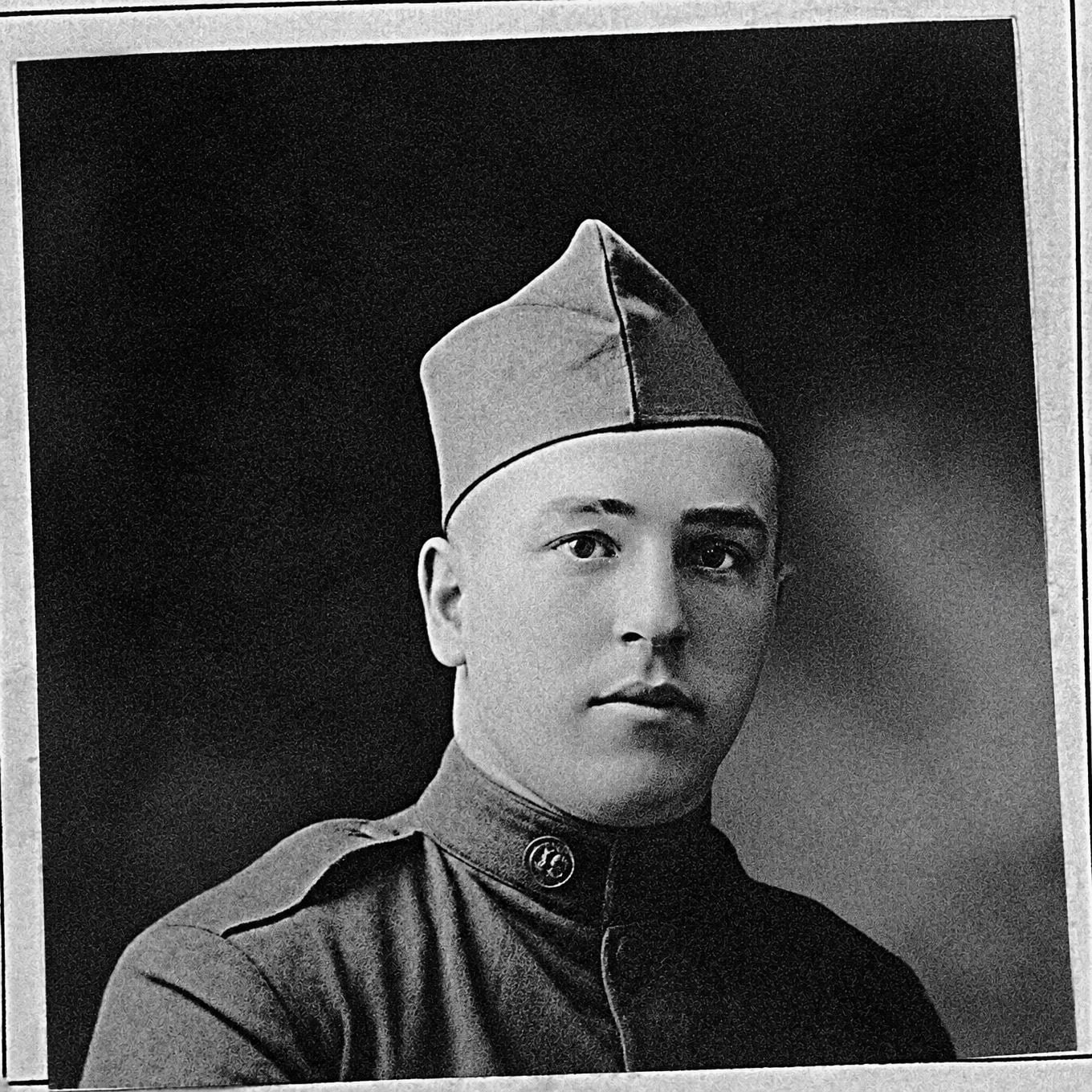
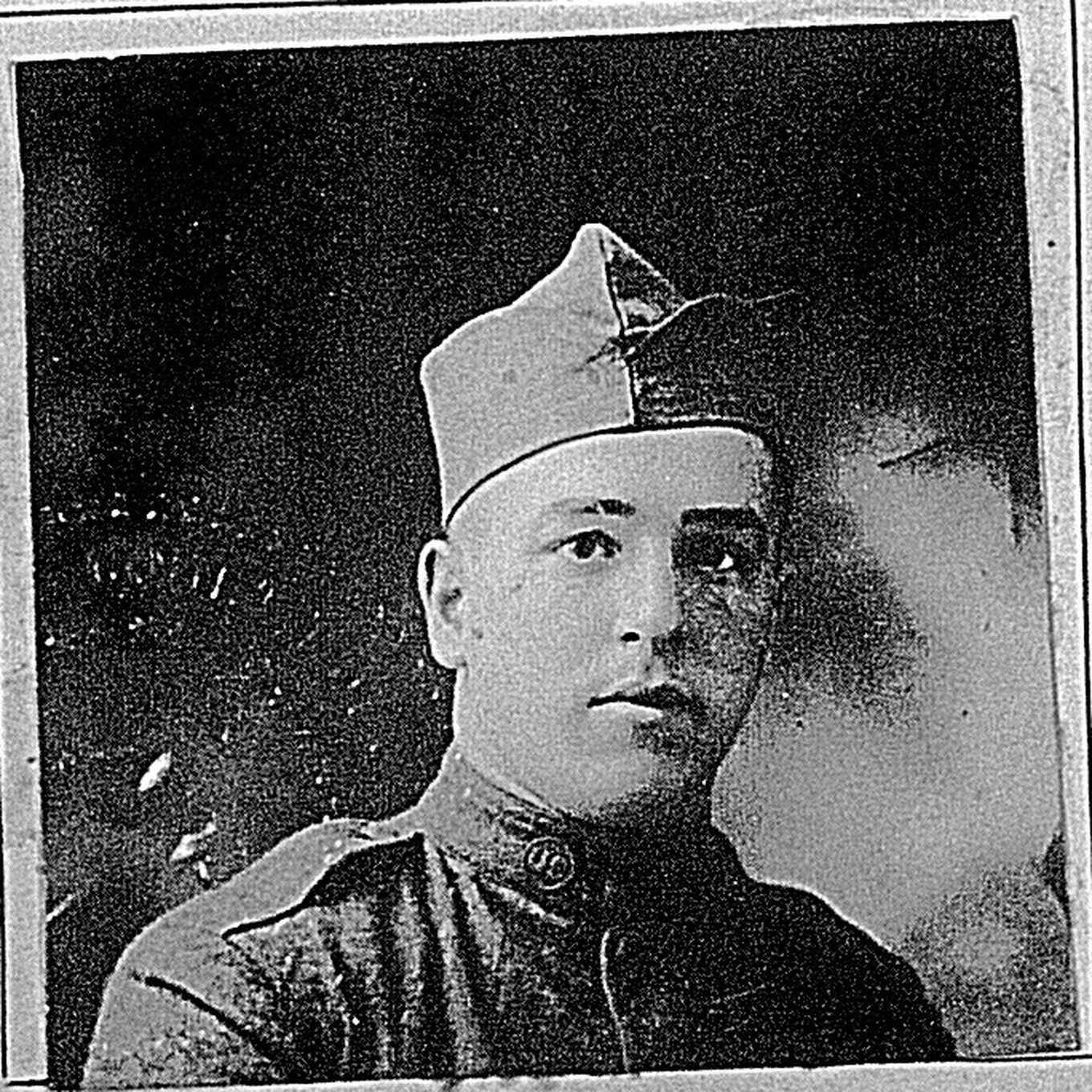
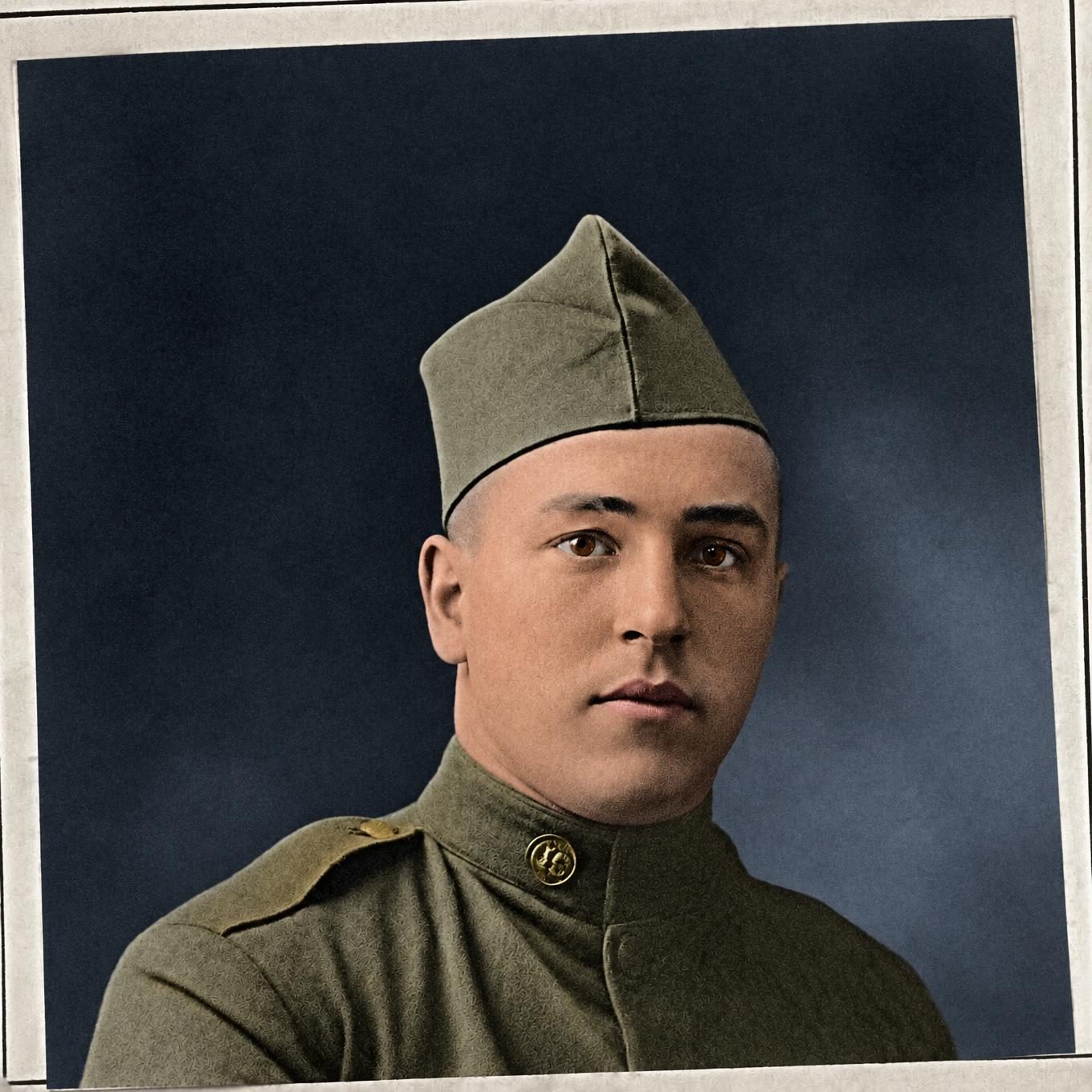
Upload the cropped photo to see it repaired: 2 free watermarked previews a day, no card needed. Restores without the watermark use credits, from $19 for 25. MyHeritage's photo tools and others are compared in our MyHeritage alternatives list.
Before you send for records
- You've asked every branch, including the cousin who cleared the house and your DNA matches.
- You've looked for a naturalization certificate, the immigrant's declaration and any old passport.
- You've searched FamilySearch's passport applications for anyone who traveled between 1914 and 1925.
- You know the arrival and naturalization years, so you know whether to ask USCIS or the National Archives.
- When the photo comes, you restore a crop of it, with the seal kept and the record left alone.