
You've been asked for a photo for the obituary, and there's a deadline. Newspapers print that photo small: the Star Tribune runs one at an inch or an inch and a half, and a Washington Post sample shows one at two inches.
At that size only the face reads. So choose the photo where they look most like themselves, even a group shot, and crop it to head and shoulders.
Pick the photo where they look like themselves
Ask two or three people who knew them well which photo looks most like them. The people reading the notice knew that face, so recognition comes first and sharpness second.
Look for the age the readers will remember, their everyday expression, and glasses if they wore them. The eyes should be in the light and turned toward the camera. At an inch wide, a hat brim, a squint or sunglasses can hide the face.
A slightly soft snapshot where the face fills more of the frame can beat a sharp portrait taken across a room, even if that snapshot is a group photo from a birthday or a wedding.
Crop it to head and shoulders
A group photo works once it's cropped. The Washington Post and the Boston Globe both ask for a photo of the person only, with anyone else cropped out.
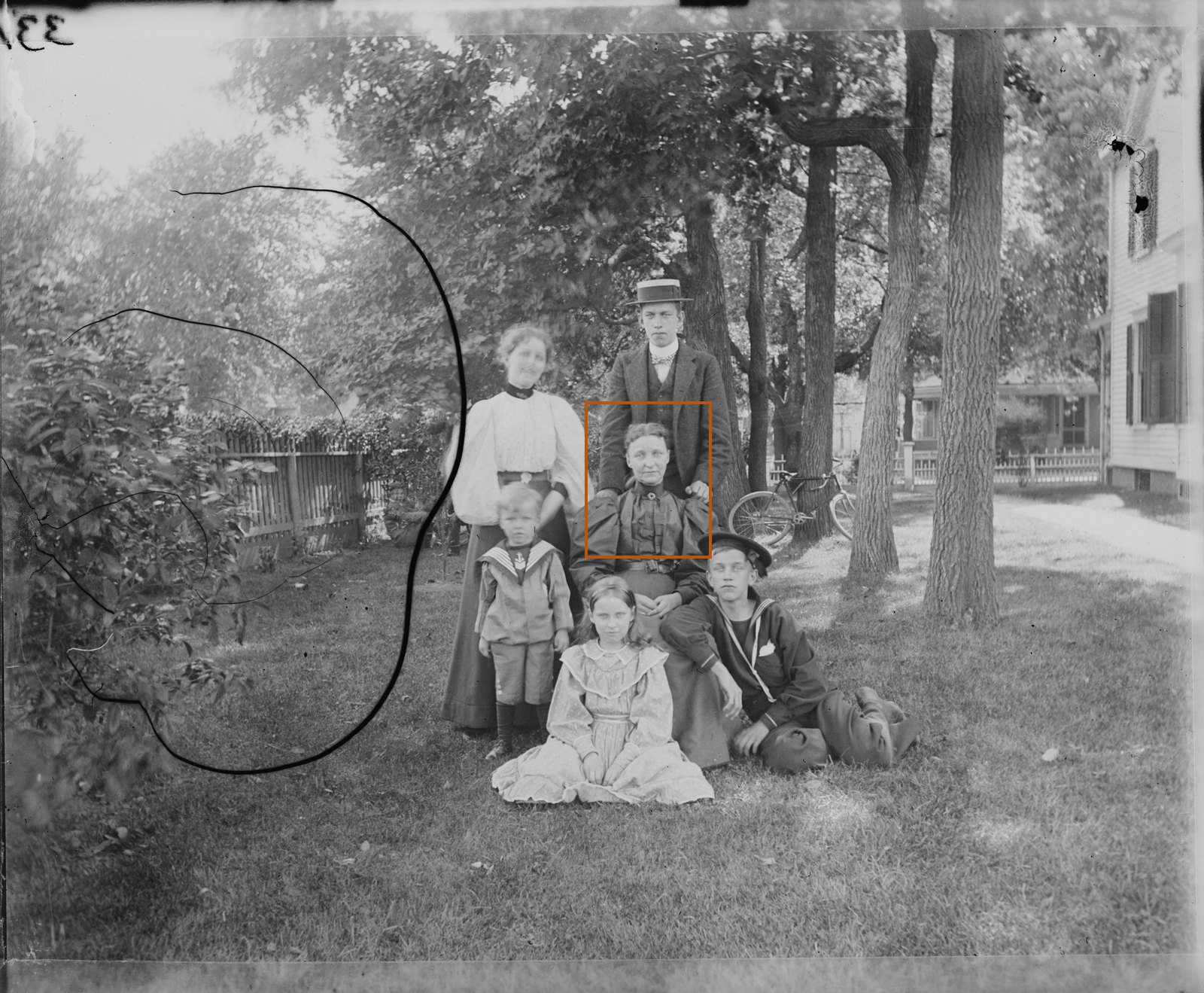
If you have a print, scan it or take a phone photo of it first; how to scan old photos at home covers both. Then duplicate the copy and crop the duplicate. That keeps the full picture for the program and the display boards, and the print itself never gets trimmed.
- Leave a little space above the hair.
- Cut across the top of the chest, so the shoulders show.
- Put the eyes about a third of the way down the frame.
- Level the eyes if the camera was tilted.
- Leave some room at the sides. The Star Tribune asks for photos uncropped or cropped square, and a loose crop lets any paper trim to its own shape.
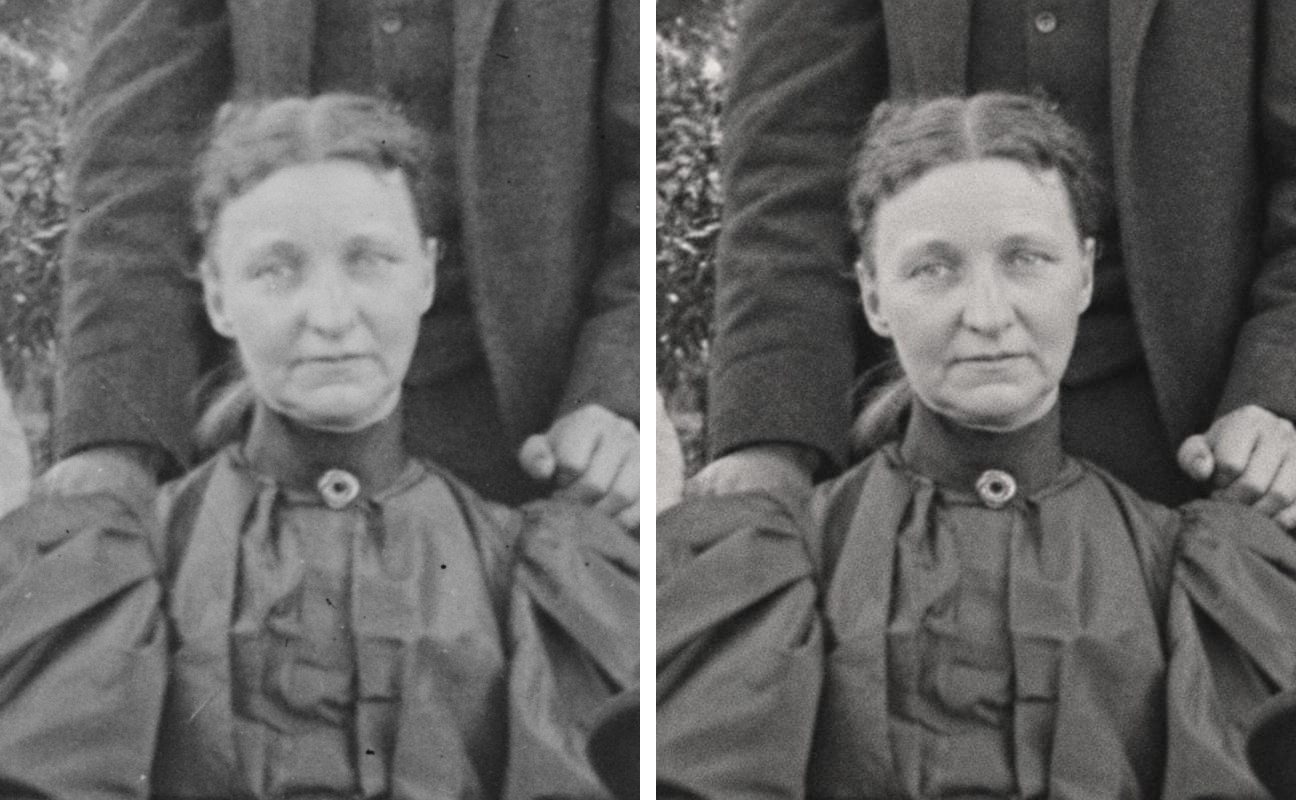
A hand resting on the shoulder from someone standing behind, as in the 1898 photo, is fine at this size. Half of another face at the edge isn't, so move the crop or tighten it.
What papers, websites and programs ask for
Every paper sets its own rules. If the funeral home is placing the notice, it will know them; if you're sending it yourself, look for the paper's obituary or death notice page.
| Where it goes | How it appears | What they ask for |
|---|---|---|
| The Washington Postlarge daily | Appears: In color. Its sample notice has a 2-inch photo. | Send: A JPG, at least 300 DPI, of the person only, with anyone else cropped out. |
| Minnesota Star Tribunelarge daily | Appears: 1 inch (small photo) or 1.5 inches (large). | Send: Uncropped, or cropped square. Up to two photos. |
| The Boston Globelarge daily | Appears: Black and white in the paper. | Send: A JPG, at least 150 DPI, of the person only. |
| The Lakeville Journalsmall weekly | Appears: Only the head-shot part of the photo. | Send: A JPG at 300 DPI, or a phone photo of the print, sent at full size. |
| Funeral-home websiteTribute Technology's site builder | Appears: The main photo on the obituary page. | Send: At least 200 by 200 pixels. |
| Printed programfolded booklet | Appears: A letter sheet folded to 5.5 by 8.5 inches. | Send: Photos at 300 DPI or more at the size they print. |
An inch is about the size of a postage stamp, and your crop has to read at that size.
Don't let the DPI number stop you. At 300 DPI, a photo two inches wide needs 600 pixels across, and a phone photo of a print, taken close so the print fills the frame, has several times that.
What goes wrong is the email app shrinking the file. When you attach it, choose actual or original size, as the Lakeville Journal tells families.
Repair the crop, then check the face
If the photo is spotted, scratched, creased or faded, repair it before you send it, and repair the crop instead of the full photo. A restore comes back at a set size, so in a group shot one face gets only a small part of it.
We restored the 1898 photo both ways. Done whole and cropped afterward, her face came out soft, with the eyes and mouth slightly changed. Cropped first, it stayed clean and close to the scan.
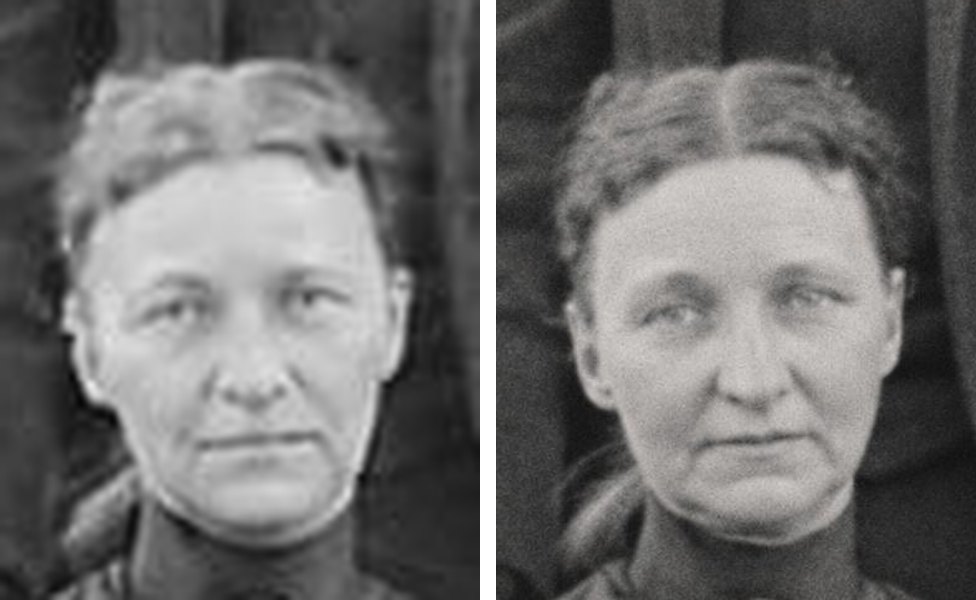
Then hold the repaired face next to the photo and look at the eyes, mouth, glasses, hairline and any mark people knew. Missing areas are guesses, so show it to someone who knew them before it goes out. If one detail is wrong, a Touch-up (1 credit, account needed) redoes only what you name.
FixFade does this in your phone's browser, with nothing to install, in about a minute, and a black-and-white photo stays black and white. You get 2 free watermarked previews a day, no card needed, enough to see whether the face still looks like them before you restore the crop.
The free preview carries a watermark, so a printable copy comes from a paid restore: a 2K PNG in the photo's own proportions, at 76¢ or less a photo. Papers like the Post and the Globe ask for a JPG, so open the PNG on a computer and save or export a copy as JPEG.
If the only copy you have is a clipping from a newspaper or yearbook, its printed dots need handling first; see how to find an old yearbook photo. Heavier damage is covered in how to restore old photos.
Send it
- For the paper and the websites: the cropped JPG at full size, with their name as the file name.
- For the program: the uncropped scan or the largest file you have. Its cover photo prints much bigger than the newspaper's.
- Send it to whoever places the notice, the funeral home or the paper's obituary desk, and ask for the deadline for a notice with a photo. At the Star Tribune it's 2 p.m. the day before on most days.
- Ask whether the paper prints in color. If it doesn't, look at your crop in black and white before you send it.
- Put the print back where it came from. Boards and frames get copies; ideas for those are in funeral photo display ideas.